
Step-by-Step Booking Instructions
Please note: Some resorts require a minimum number of nights. If you're unable to move forward in the booking proccess it may be due to you having to few nights selected.
Visit couples' wedding website
The couples will provide you with the wedding website. Once you open their wedding website, you will select the BookNow tab located at the top of the page header
Select Your Travelers and Dates
Choose the total number of adults and children traveling. Be sure to enter each child’s date of birth. Then select your travel dates. 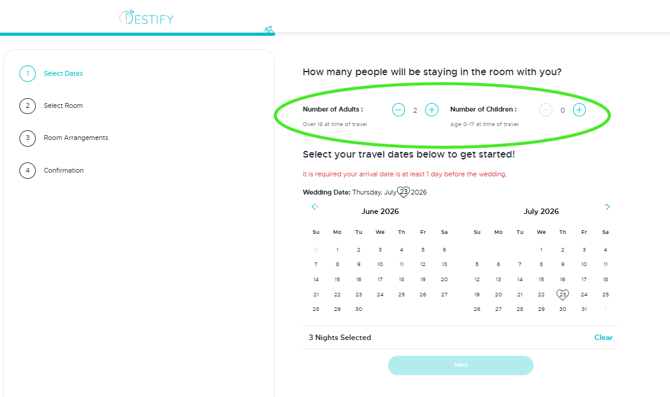
Choose Your Room Category
Review the available room options and select the category that best fits your needs. Pricing is based on your selected dates and occupancy. 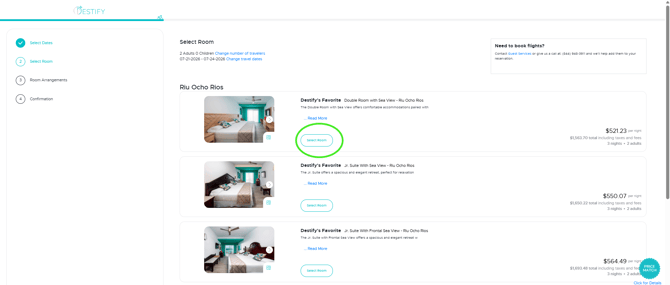
Enter Traveler Information
Fill in all required guest details exactly as they appear on government-issued identification. 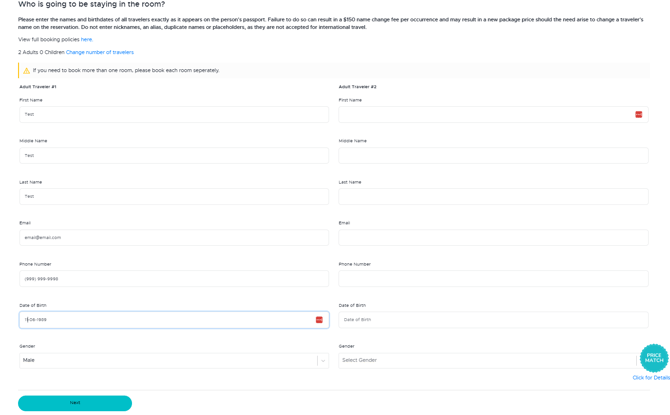
Select Your Payment Option
Choose to either pay in full or place a non-refundable deposit to secure your booking.
If your reservation is past the Final Payment Date, full payment will be required at checkout. 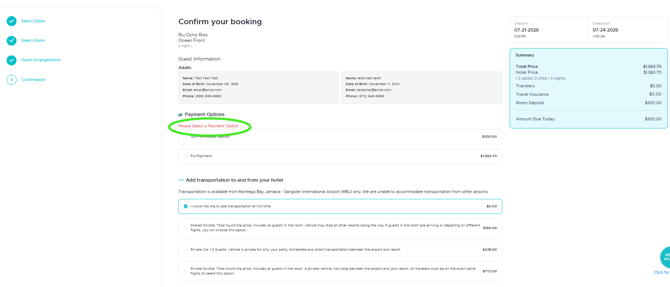
Select Your Transfer Preference
You must select one transfer option. If you do not want airport transfers, please choose the “I would Not like to add transfers at this time” option to continue. 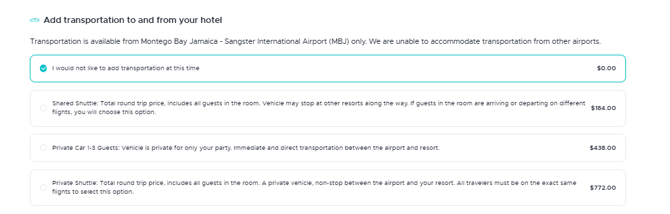
Confirm and Pay
Click “Confirm and Pay” to proceed to checkout and complete your payment securely. 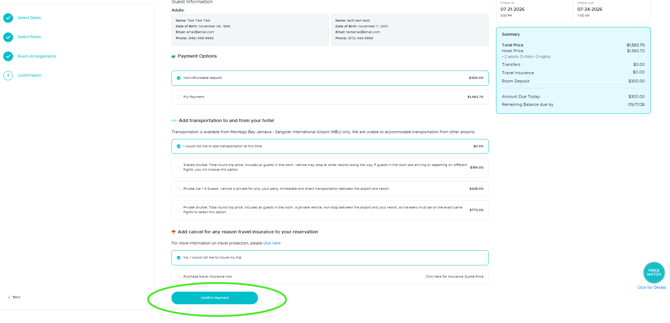
If you experience any errors or issues while booking, please take a screenshot of what you see before contacting us, as this will help our team determine the issue.
Still need assistance? Here's how to reach us
Contact us here, or for urgent requests, please call us at 844-948-3911
Manage your booking details through your Dashboard