
Before you begin
- You'll create your account while you book, right after you choose your room.
- You can sign up with your email, Google, or Facebook. Always sign in the same way, because your reservation is linked to that login.
- Sign-up pop-up didn't appear? A browser setting, extension, or VPN may be blocking it. Contact us, and we'll send you a sign-up link.
Step-by-step instructions
1. Log in to your Dashboard
After you choose your room, a pop-up asks you to create your Dashboard login. Choose how you'll sign in: email, Google, or Facebook.
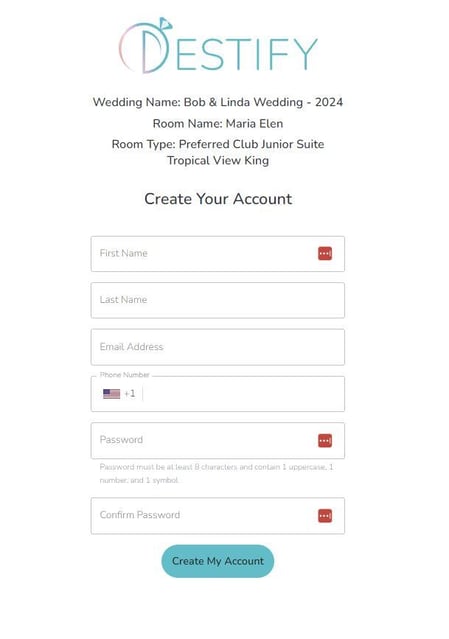
2. Sign up with your email
Fill in every field on the form, then click Create my Account.
3. Or sign up with Google or Facebook
Choose Google or Facebook and follow the sign-in prompts.
4. Confirm your details
Check that your first name, last name, email, and phone number are correct, then click Confirm.
5. Start using your Dashboard
You'll see a message that your account is ready, and you can log in right away.
Good to know
- Each room includes one account by default. If another guest on your reservation needs their own access, contact us, and we'll send them a link. Please don't share your login details.
- Forgot your password later? See How to Reset Your Destify Dashboard Password.