
Confirm Your Spreadsheet Is Formatted Correctly
Before uploading, verify that your spreadsheet follows these required rules:
-
Each guest must be entered on their own row
-
Do not list multiple people on a single line
-
Do not use abbreviations, nicknames, or titles such as mom, dad, aunt, or uncle
-
Always use full legal first and last names
Using the provided premade template will help you avoid having to make sure your guest list is formatted correctly, as the template is already formatted for you.
You may access this by opening your guest list. See the screenshot below for the two places you may access the premade template. 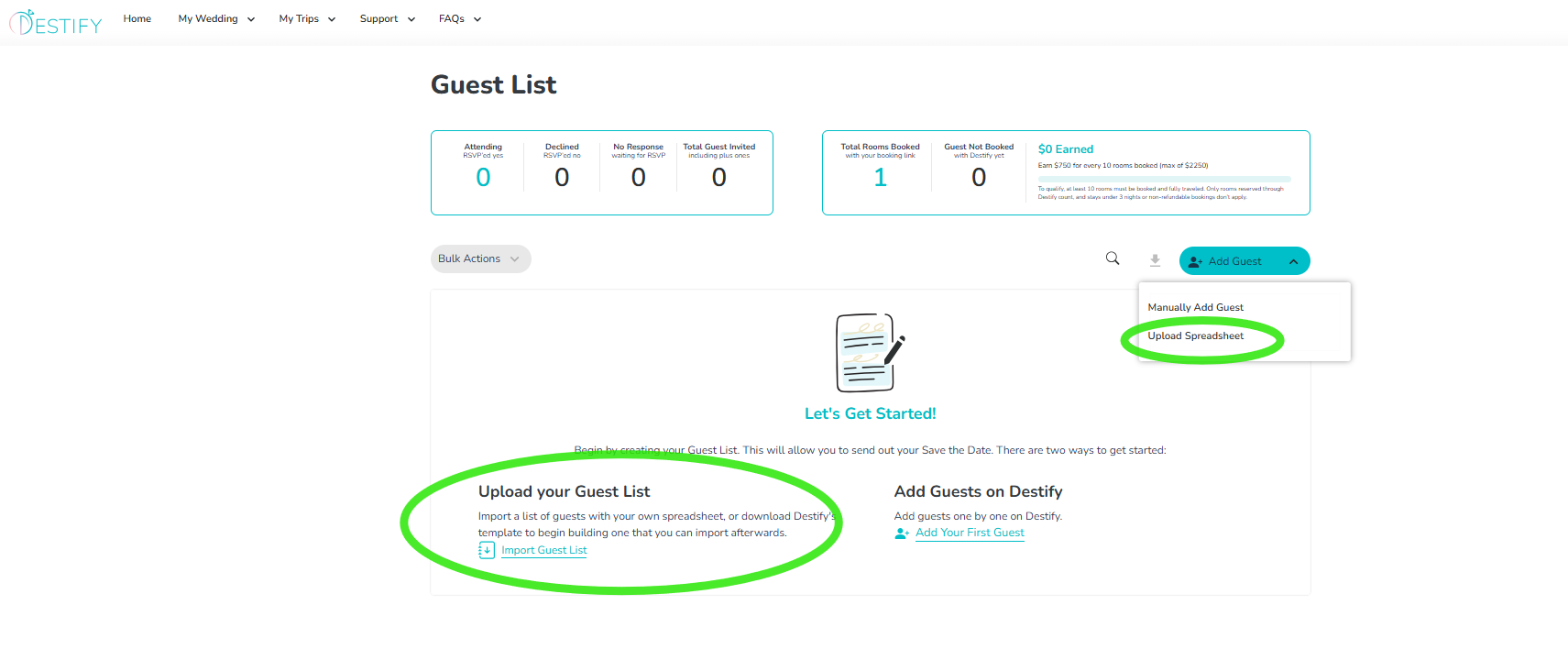
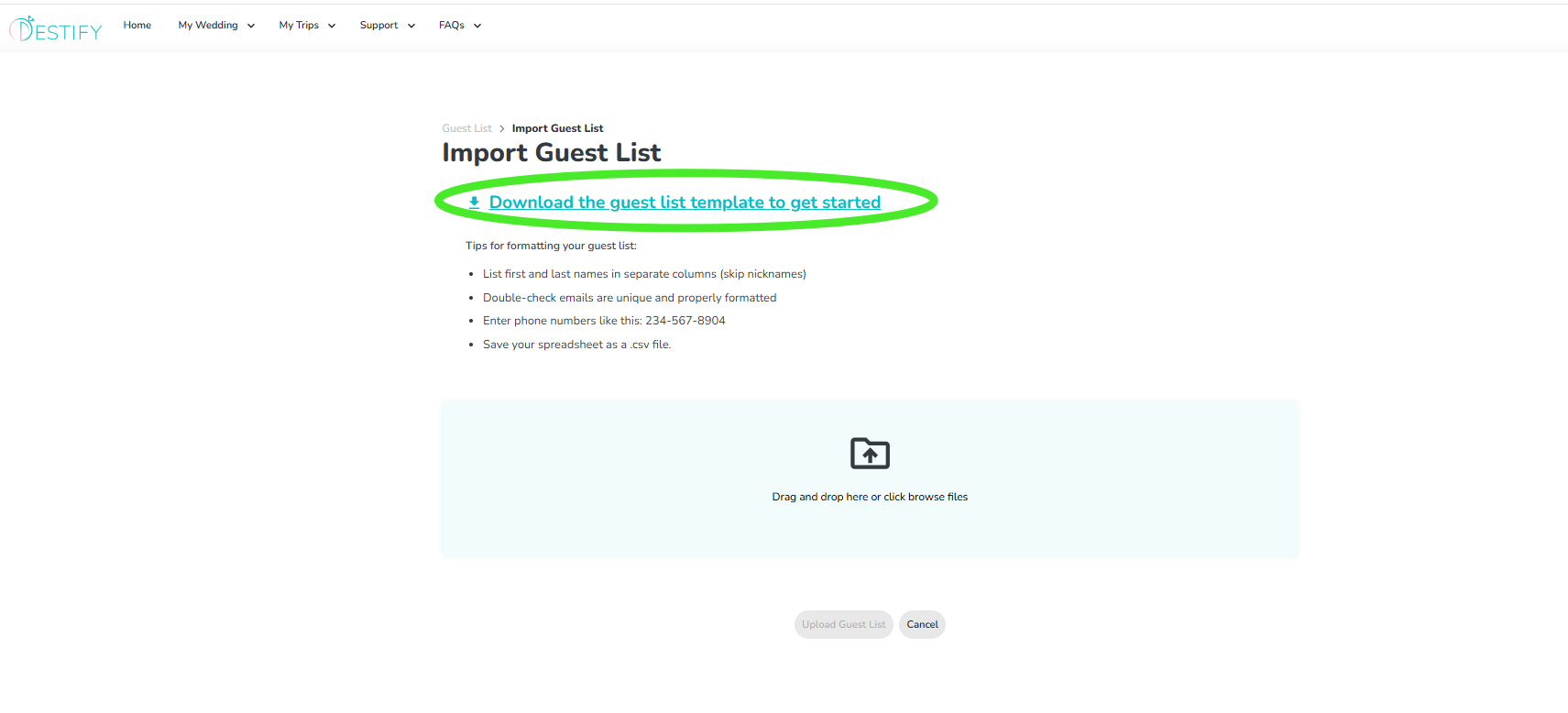
Once you open, select Download the guest list template to get started
Required Column Order
Your guest list must be organized in the exact order below:
-
First Name
-
Last Name
-
Email Address
-
Phone Number
-
Number of Adult Plus Ones
-
Number of Children Plus Ones
-
RSVP Response

Each guest should appear on a single row with their information entered across these columns.
Formatting Tips Before You Upload
To avoid errors, keep these best practices in mind:
-
Use the pre-made guest list template provided by Destify whenever possible. You can find this template within your Guest List section. Download the guest list template to get started
-
Enter first and last names in separate columns, and avoid nicknames.
-
Make sure each email address is unique and spelled correctly.
-
If you do not have a guest’s email address or phone number, you may leave those fields blank.
-
Format phone numbers like this: 234-567-8904
-
Remove extra spaces and avoid special characters in all fields.
-
Review your spreadsheet carefully for spelling mistakes or missing information.
Save Your File as a CSV
Your file must be saved as a .csv file before uploading. Other file types will not upload successfully.
Still Having Issues?
If your guest list is formatted correctly, saved as a .csv file, and you are still receiving an error message, or the system says the upload was successful but no guests appear, please contact Destify Support.
Our support team can quickly review the file and help resolve the issue so your guest list displays correctly.
-
Still need assistance? Here's how to reach us
- Contact us here, or for urgent requests, please call us at 844-948-3911
- Manage your booking details through your Dashboard