
Uploading Your Guest List
Uploading your guest list is a quick and easy way to add guests to your dashboard all at once. To avoid errors, it is important that your spreadsheet is formatted correctly before uploading.
Required Spreadsheet Format
Example of how your guest list should be formatted before getting started.

Your guest list must be organized in this exact column order:
-
First Name
-
Last Name
-
Email Address
-
Phone Number
-
Number of Adult Plus Ones
-
Number of Children Plus Ones
-
RSVP Response
Each guest should be listed on their own row.
Tips for Formatting Your Guest List Correctly Before You Upload
-
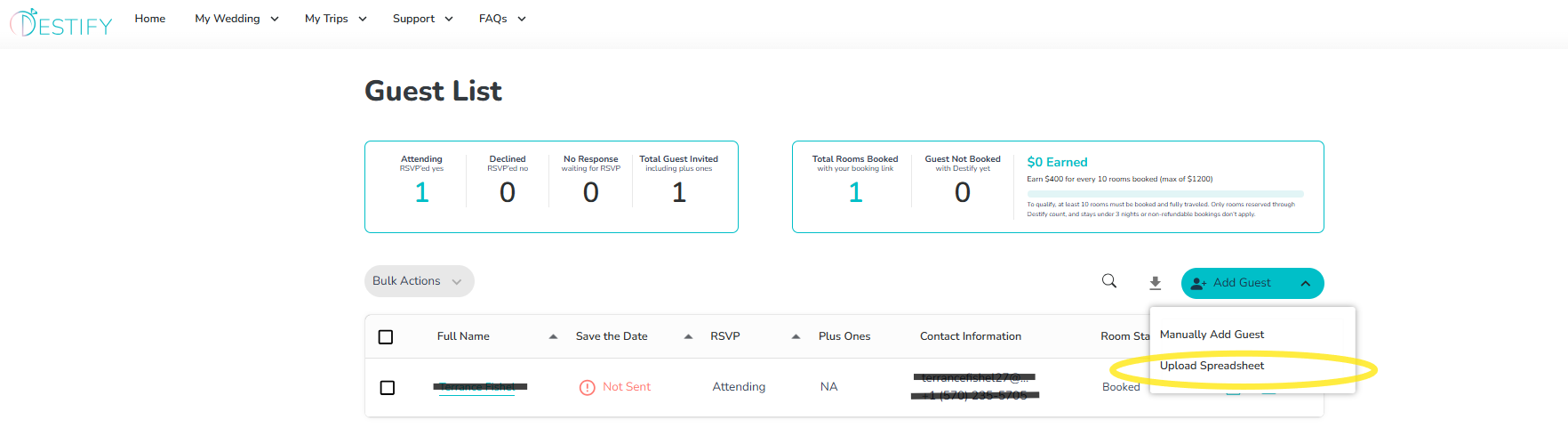
Use the pre-made template provided by Destify whenever possible. You can find this template within your guest list.
-
Always Enter first and last names in separate columns, and avoid nicknames.
-
Make sure each email address is unique and entered correctly. If you do not have the guest's email or phone, that is ok, you may leave it blank.
-
Format phone numbers like this: 234-567-8904
-
Do not leave extra spaces or special characters in any fields
-
Save your file as a .csv before uploading. Any other file type will not upload.
-
Take a moment to review your spreadsheet for spelling errors, missing information, or incorrect formatting. This helps prevent duplicate entries or upload errors.
-
Still need assistance? Here's how to reach us
- Contact us here, or for urgent requests, please call us at 844-948-3911
- Manage your booking details through your Dashboard