
Common Login Error Messages and What They Mean:
Below are examples of common error messages you may encounter when attempting to log in, along with what each one typically indicates.
“Wrong Credentials/ Account Does Not Exist”
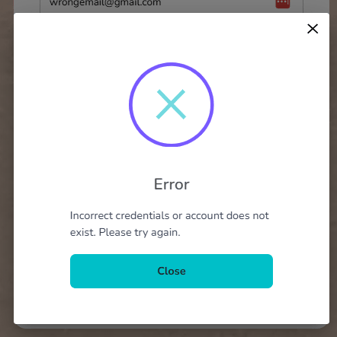
If you receive an error message stating “Wrong credentials,” this means that either one or both the email address or the password entered is incorrect. You will not receive this message for any other reason. Please verify that the info you have is correct and that the email you are using is the one that was used when you created your Destify Dashboard.
What to do:
-
Confirm you are using the same email address that was used when your room was booked and your dashboard was created.
-
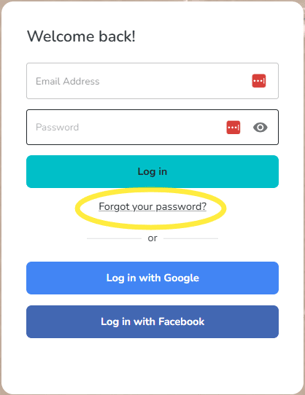
If you are unsure of your password, use the “Forgot your password?” option to reset it.
“HTTP 405/500”
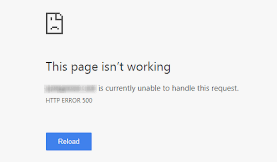
If you encounter an error message that includes “HTTP 500,” this usually indicates a server-side issue.
What to do:
-
Wait 15-30 minutes and try logging in again.
- Make sure your personal VPN or the network you are using does not have any settings that could interfere with accessing our servers. If possible, try logging in on a different network to determine whether the issue is network-related or an actual server error.
-
If the error continues, the server may be temporarily unavailable, and our team may already be working to resolve it. You can always call us directly for more information. Our contact info is listed at the bottom of every help center article.
“Unable to Login, Please Try Again Later, or Contact Support”
This error could point to a caching issue or a network-related problem. it may also be related to a server outage.
What to do:
If this is related to a server outage
- Clear your cache. If this doesn't resolve the issue contact Destify support via the contact info provided at the bottom of this article.
- Please check the network you are currently connected to. Some public or restricted WiFi networks have security settings that can block access to our servers.
If you are connected to a public or workplace WiFi network, please disconnect and switch to your personal mobile data. This typically resolves the issue and allows you to connect successfully. If the issue continues while using your home network or personal mobile data.
Still need assistance? Here's how to reach us
- Contact us here, or for urgent requests, please call us at 844-948-3911
- Manage your booking details through your Dashboard